
CPV Version 13.1 Updates
The following updates are available now in CPV One (opens new window) and coming soon to CPV Lab (opens new window).
Quick Summary
- CPV Version 13.1 Updates
- Snapchat Ads Cost Synchronization
- User Account Access Control
- Quick Tours on Campaign Setup
- Add Landing Pages and Offers from Campaign Setup
- New API v2 for AI Workflows
- Make.com Integration
- Predefined Tokens for Traffic Sources
- Day Column in Drill-Down Reports
- Level and Option Group Name in Step 1 Dropdown
- Pass Email and Phone to TikTok CAPI
- Pass Extra Token Data to Facebook and TikTok CAPI
- Specify Event Source URL in Facebook and TikTok CAPI
- Updates in Google, Facebook, and Microsoft Ads API Integrations
- Other Updates and Fixes
Snapchat Ads Cost Synchronization
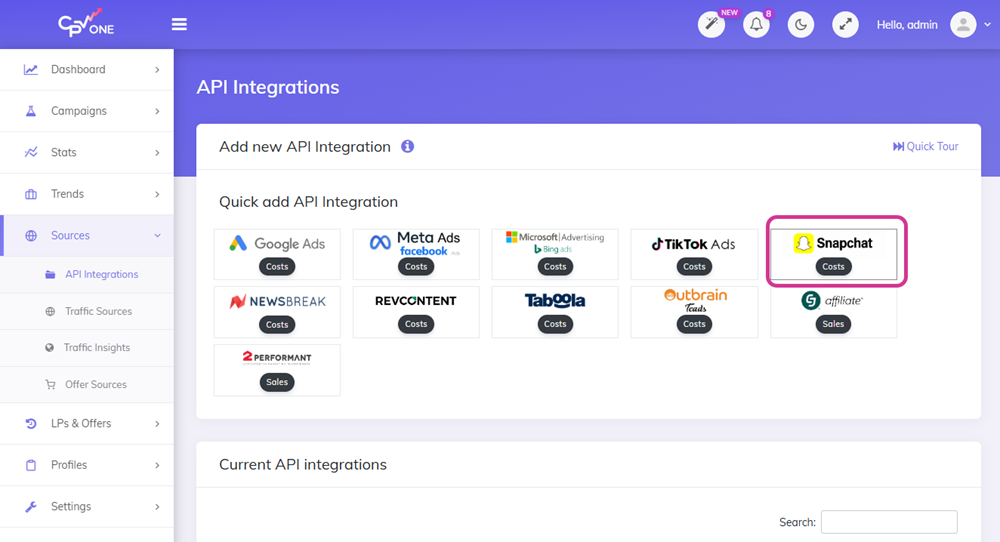
CPV Lab now connects directly to Snapchat Ads via API. This means your Snapchat ad spend is pulled automatically into your tracker.
You no longer need to enter costs manually. Your campaign data stays accurate and up to date - all in one place.
Why it matters:
- See your real Snapchat ad costs inside CPV Lab reports.
- Compare spend vs. conversions across all your traffic sources in one dashboard.
- Track ROI from Snapchat campaigns with the same accuracy as Google, Facebook, and TikTok.
Read the full setup guide: Snapchat Ads Cost Synchronization →
User Account Access Control
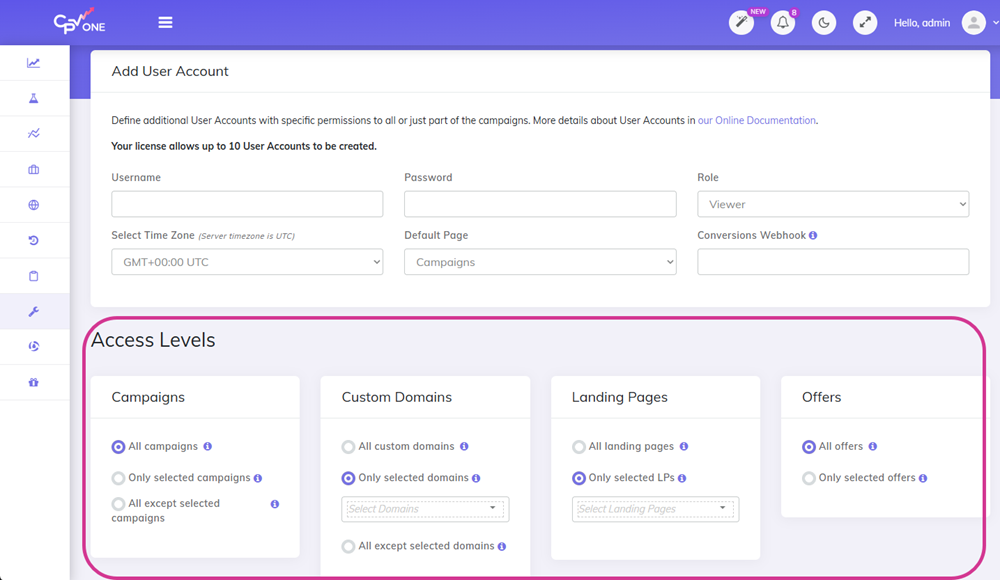
You can now control what each team member or partner can see and edit inside CPV Lab | CPV One.
When you add a user account, you choose exactly which landing pages and offers they have access to. They only see what you allow.
Why it matters:
- Work safely with freelancers, media buyers, or agency partners.
- Give collaborators access to their campaigns only - nothing else.
- Keep your full account data private.
This is useful for affiliate teams, agencies and ecommerce stores that work with external partners.
Read the full guide: User Account Access Control
Quick Tours on Campaign Setup
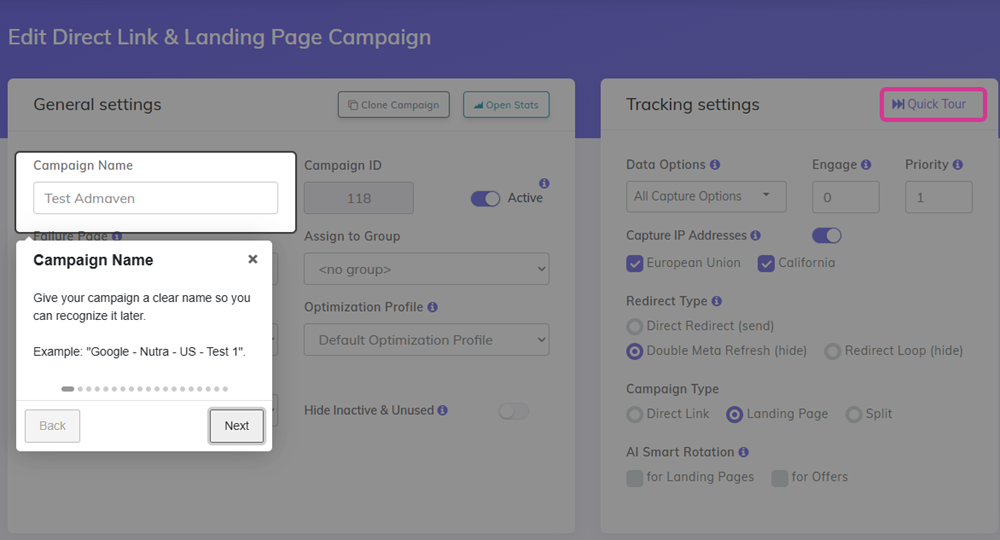
Not sure what a field does when setting up a campaign? The new Quick Tours feature explains each step as you go.
Click the tour icon on any campaign setup page. A step-by-step walkthrough opens and explains each field - what it does and why it matters.
Why it matters:
- New users learn faster without leaving the page.
- No need to search the documentation for every field.
- Reduce setup mistakes before a campaign goes live.
This is especially helpful for beginners and new team members who are getting started with conversion tracking.
Add Landing Pages and Offers from Campaign Setup
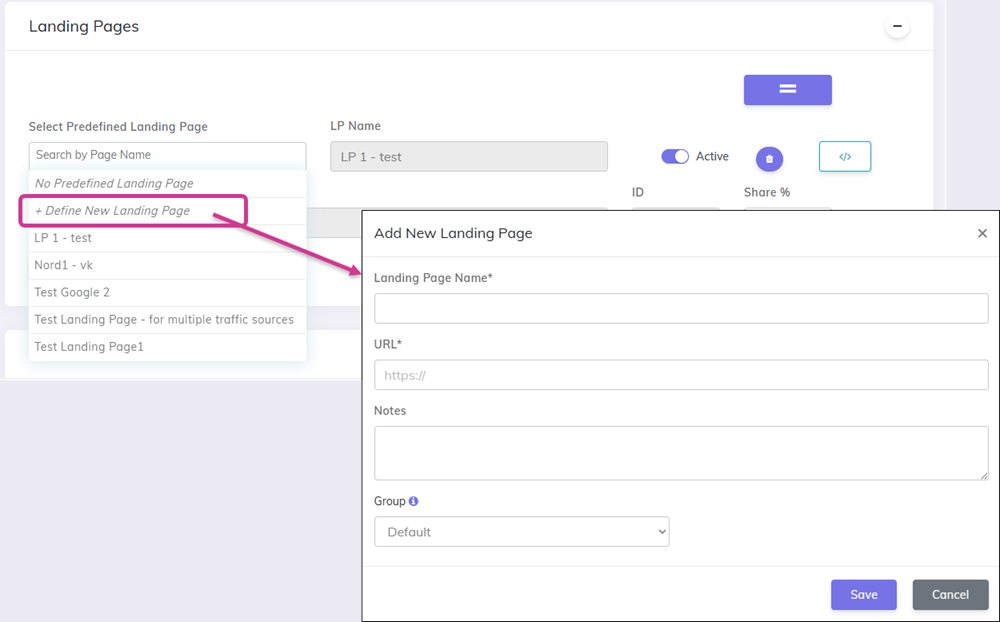
You no longer need to leave the campaign setup page to add a landing page or offer.
A new popup lets you create and save a new LP or offer right from the campaign setup screen. Once saved, it appears in the dropdown immediately.
Why it matters:
- Faster campaign setup - fewer steps, fewer clicks.
- No more switching between pages to add missing items.
- Keeps your workflow in one place.
This is a small change that saves a lot of time, especially when launching new campaigns quickly.
New API v2 for AI Workflows
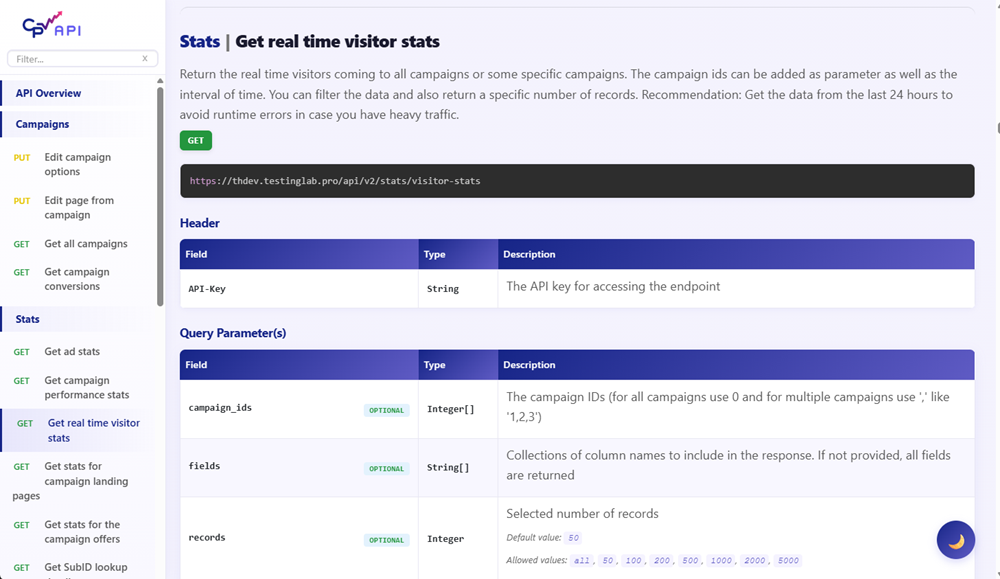
CPV Lab now has an improved API version 2. It is built for use with AI tools and automation workflows.
The new API is faster, more consistent, and easier to connect to external tools. It is designed to work well with platforms like Make.com, n8n, and custom AI agents.
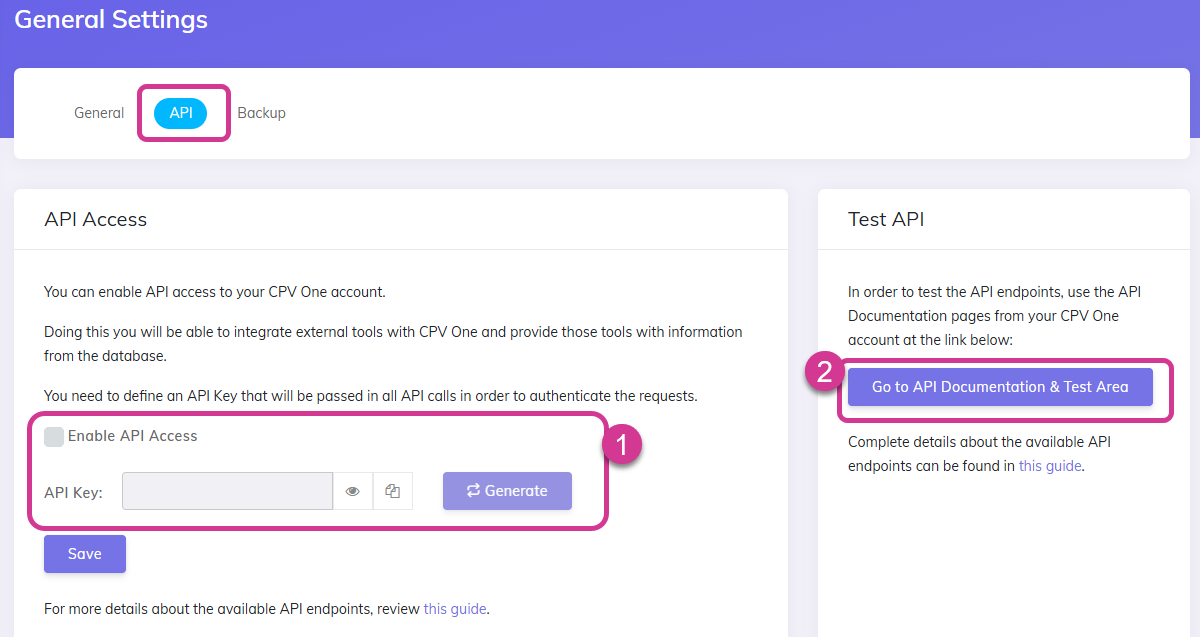
You can test the API in the browser.
- Go to Settings ➡️ General Settings ➡️ API
- Generate an unique API key
- Open the Test API documentation
Why it matters:
- Build smarter automations using your real campaign data.
- Connect CPV Lab and CPV One to AI-powered tools and workflows.
- More reliable and better structured than the previous API version.
Read the full guide: API v2 Documentation (opens new window)
Make.com Integration
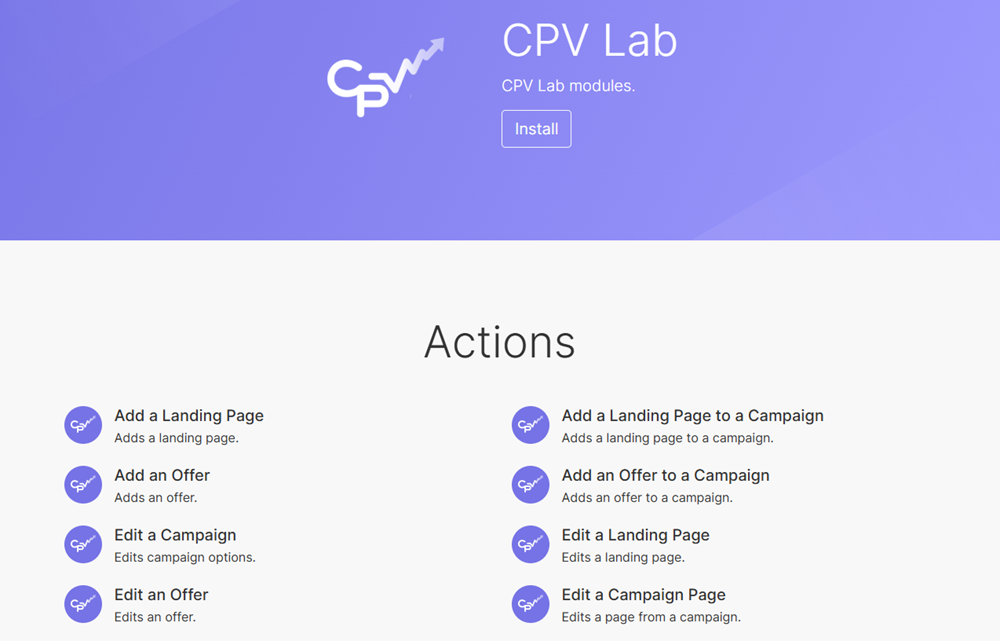
CPV Lab is now available as a custom app in Make.com. You can use it directly inside your Make.com workflows.
Connect CPV Lab or CPV One to hundreds of other tools - CRMs, spreadsheets, email platforms, reporting tools - without writing any code.
Note: The n8n node is still under approval. It will be available soon.
Why it matters:
- Automate repetitive tasks using your CPV Lab | CPV One data.
- Build custom reports, alerts, and data pipelines.
- No coding required - just drag, drop, and connect.
TIP
Use this link to find CPV Lab custom app (opens new window) on Make.com and use it for your workflows
Read the full guide: Make.com Integration
Predefined Tokens for Traffic Sources
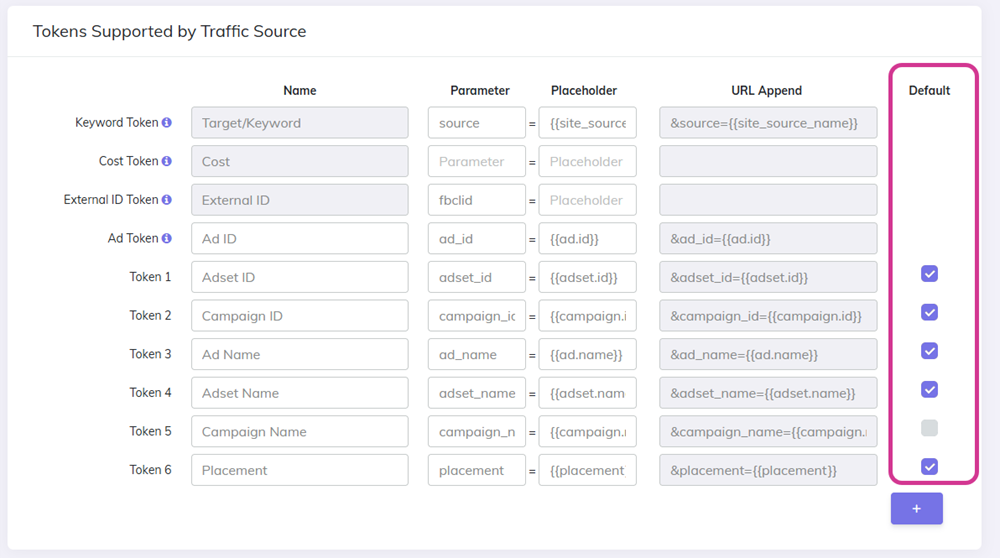
You can now choose which tracking tokens should always be captured for a specific traffic source.
Set your preferred (default) tokens once in the traffic source settings. Every time you create a new campaign with that traffic source, those tokens are pre-selected automatically. You can still select the other tokens available for that traffic source (ad network).
Why it matters:
- No more manually selecting the same tokens every time.
- Fewer mistakes when setting up campaigns in a hurry.
- Consistent tracking data across all campaigns from the same source.
This is a time-saver for anyone running multiple campaigns across the same ad networks.
Day Column in Drill-Down Reports
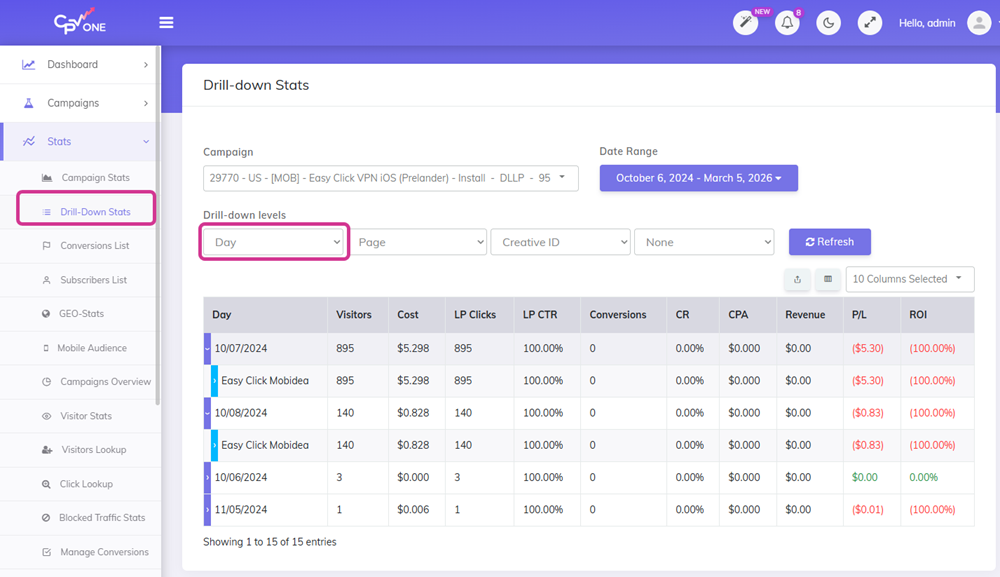
The drill-down report now includes a Day column.
When you break down your campaign stats, you can now see data grouped by day - without needing to switch to a different report view.
Why it matters:
- Spot day-by-day performance trends faster.
- Compare daily performance inside a granular report.
- Better insight without extra clicks.
Level and Option Group Name in Step 1 Dropdown
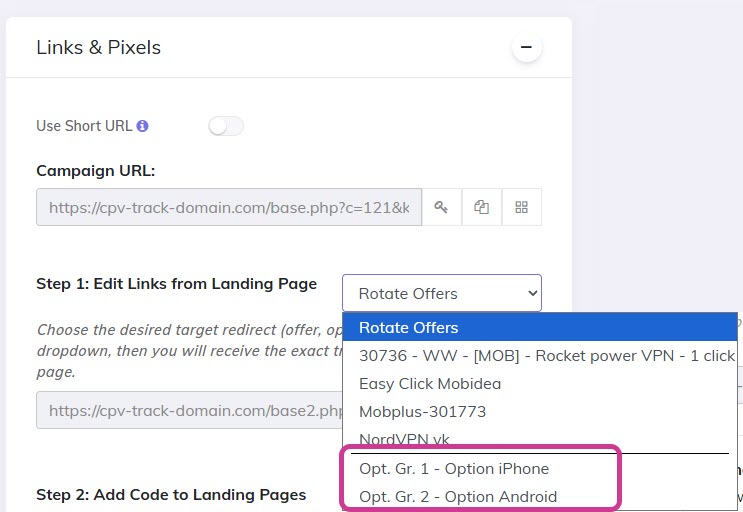
The Step 1 dropdown for links & pixels now shows the Level and Option Group name for each item.
This makes it easier to find the right link or pixel when you have many options configured. This is valid when using the Multiple Option for listicles.
Why it matters:
- Less confusion when selecting from long lists.
- Clearer labels mean faster setup.
- Reduces the chance of selecting the wrong item.
Pass Email and Phone to TikTok CAPI
When available, CPV Lab can now pass email address and phone number data to TikTok's Conversion API (CAPI).
This improves event matching accuracy inside TikTok Ads Manager. Better matches mean better optimization and lower cost per conversion.
Why it matters:
- TikTok can match conversions more accurately to the right users.
- Improves your ad campaign optimization signal.
- Helps TikTok find more people similar to your best customers.
This data is only passed when it is available and collected through your funnel.
Pass Extra Token Data to Facebook and TikTok CAPI
You can now use Extra Tokens to pass additional customer data - like email, phone, or name - to Facebook and TikTok via their Conversion APIs.
If you collect this data in your funnel and store it in Extra Tokens, CPV Lab can forward it automatically with each conversion event.
Why it matters:
- Richer conversion data improves audience matching.
- Better signals lead to smarter ad delivery.
- Works for both Facebook CAPI and TikTok CAPI.
This is especially useful for ecommerce stores and lead generation campaigns where customer data is collected on the landing page or checkout.
Read the full guide: coming soon
Specify Event Source URL in Facebook and TikTok CAPI
You can now set a custom event source URL in the Facebook and TikTok CAPI settings.
By default, the tracker uses the landing page URL as the event source. Now you can specify a different URL - useful when the actual conversion happens on a page different from the landing page.
Why it matters:
- Matches the conversion event to the correct page.
- Required in some setups where the LP and conversion page are different.
- Avoids policy issues with Facebook and TikTok related to mismatched event sources.
Read the full guide: coming soon
Updates in Google, Facebook, and Microsoft Ads API Integrations
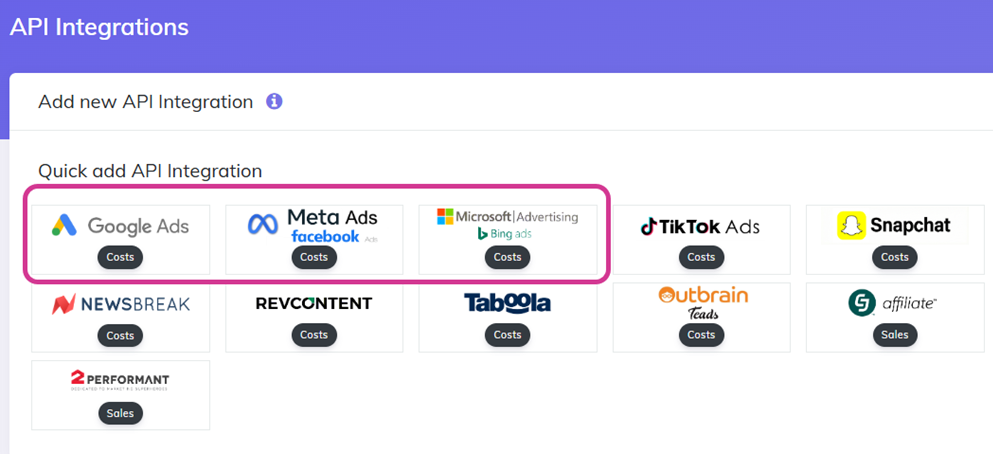
The API integrations for Google Ads, Facebook Ads, and Microsoft (Bing) Ads have been updated.
These updates improve how costs are pulled and synchronized from each platform into CPV Lab. You get more accurate spend data with fewer sync errors.
Key improvements:
- Google Ads API updated to the latest version.
- Cost distribution improved for blank clicks.
- Cost synchronization now supports KeywordID matching for Google Ads.
- Timezone updates in ad networks now handled automatically for cost syncronization.
Other Updates and Fixes
These smaller improvements are also part of version 13.1:
Added Parent Source for Traffic Sources - organize traffic sources with a parent-child structure.
- For example: if you have defined Facebook as a traffic source for multiple partners /clients, all these traffic sources will be under the Parent source "Facebook".
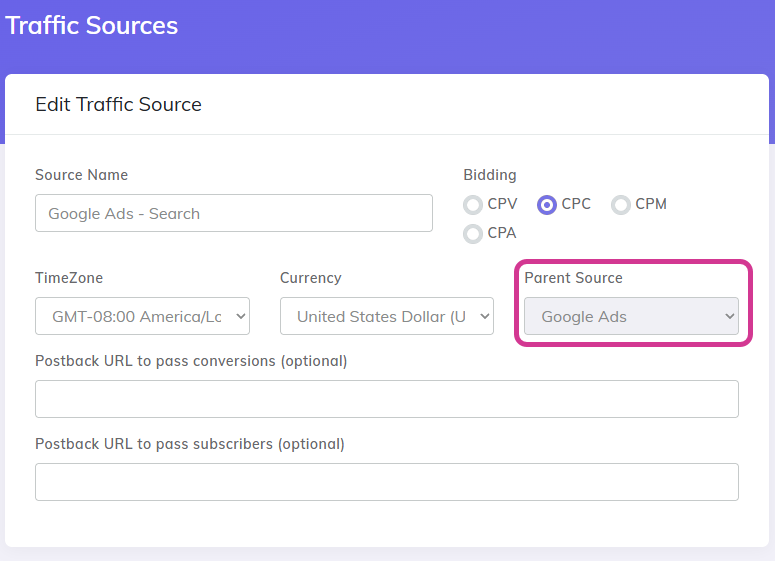
- For example: if you have defined Facebook as a traffic source for multiple partners /clients, all these traffic sources will be under the Parent source "Facebook".
Fix redirect profiles based on Country Names - redirect rules now match country names correctly.
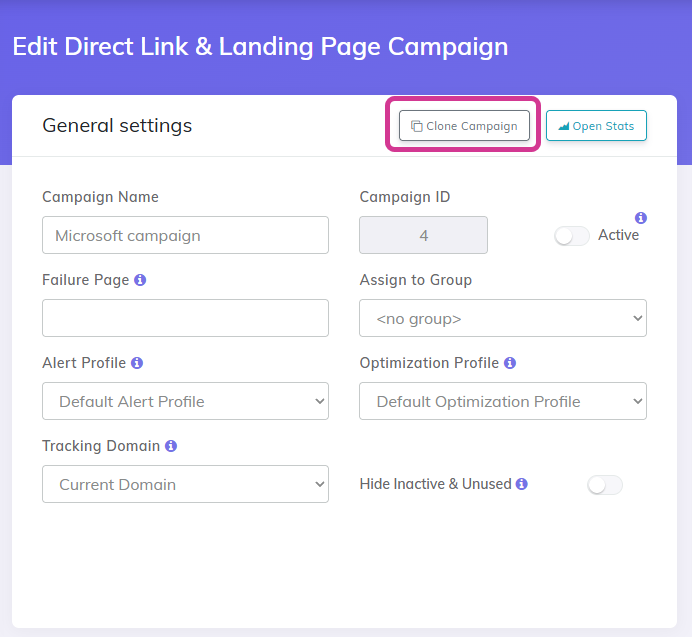
Clone option in campaign setup - quickly duplicate a campaign from the setup page
- Easy clone campaigns while you are in setup mode
Last Updated: 2026